


Most comparisons of ecommerce inventory management software list a starting price and a "best for" label. That is not enough to buy on.
The plan that fits a real store is rarely the entry plan, and connector details decide how much work your team still does by hand.
This guide fixes one merchant profile and runs it through six systems: Zoho Inventory, Veeqo, Cin7 Core, Descartes Finale, Linnworks, and Katana.
For each, we identify the plan that actually covers the profile, its published cost, what the connector does on its own, and what remains manual.
Pricing, plan capacities, and connector rules were checked against official vendor pages as of November 8, 2026. This is a documentation-based comparison with dated merchant reports, not a hands-on test; where official material does not confirm a workflow, we say so.
The short answer
If you ship from your own US warehouse (Amazon orders as FBM, Shopify orders packed by you), trial Veeqo and Zoho Inventory first. Veeqo is the lighter operational fit: unlimited users, native Shopify and Amazon connections, bundles that share components, and a published $50–88/month band for the 1,001–2,500 order tier. Zoho is the lowest published software cost, about $44/month on annual billing once you add order capacity to Standard, but with conditions to confirm before signing.
Move up to Cin7 Core, Finale, or Linnworks only if you need what the lighter tools don't do well: multi-warehouse routing, barcode receiving, purchasing-led operations, or rules-based order automation. Expect $499–599/month published starting points or a quote, plus an implementation project.
Katana stays on the list if you also make or assemble products. Without that need, its quote-only Advantage plan has to beat the others on operating cost, not features.
If Amazon fulfills everything (Amazon orders by FBA, Shopify orders by Multi-Channel Fulfillment), the shortlist changes. Check first whether Amazon's free official Shopify MCF app covers your Shopify flow. Finale officially does not support MCF today. Cin7 Core submits MCF shipments but a person must authorize each one. Veeqo and Linnworks document MCF paths, with bundle and billing conditions covered below.
The merchant profile behind every number
- Channels: one Shopify store and one Amazon US seller account
- Volume: 1,500 sales orders a month combined, planned as 18,000 a year
- Catalog: 500 active SKUs; team: 3 operators with logins
- Required operations: order import, sellable stock pushed to both channels, purchase orders and receiving, cancellations, refunds, and physical returns back to sellable stock
Scenario A is a US merchant with one owned warehouse: Amazon orders ship FBM, Shopify orders ship from the same building. Scenario B is a China-based merchant selling to the US, with stock in Amazon’s US fulfillment centers: FBA fulfills Amazon orders and MCF fulfills Shopify orders.
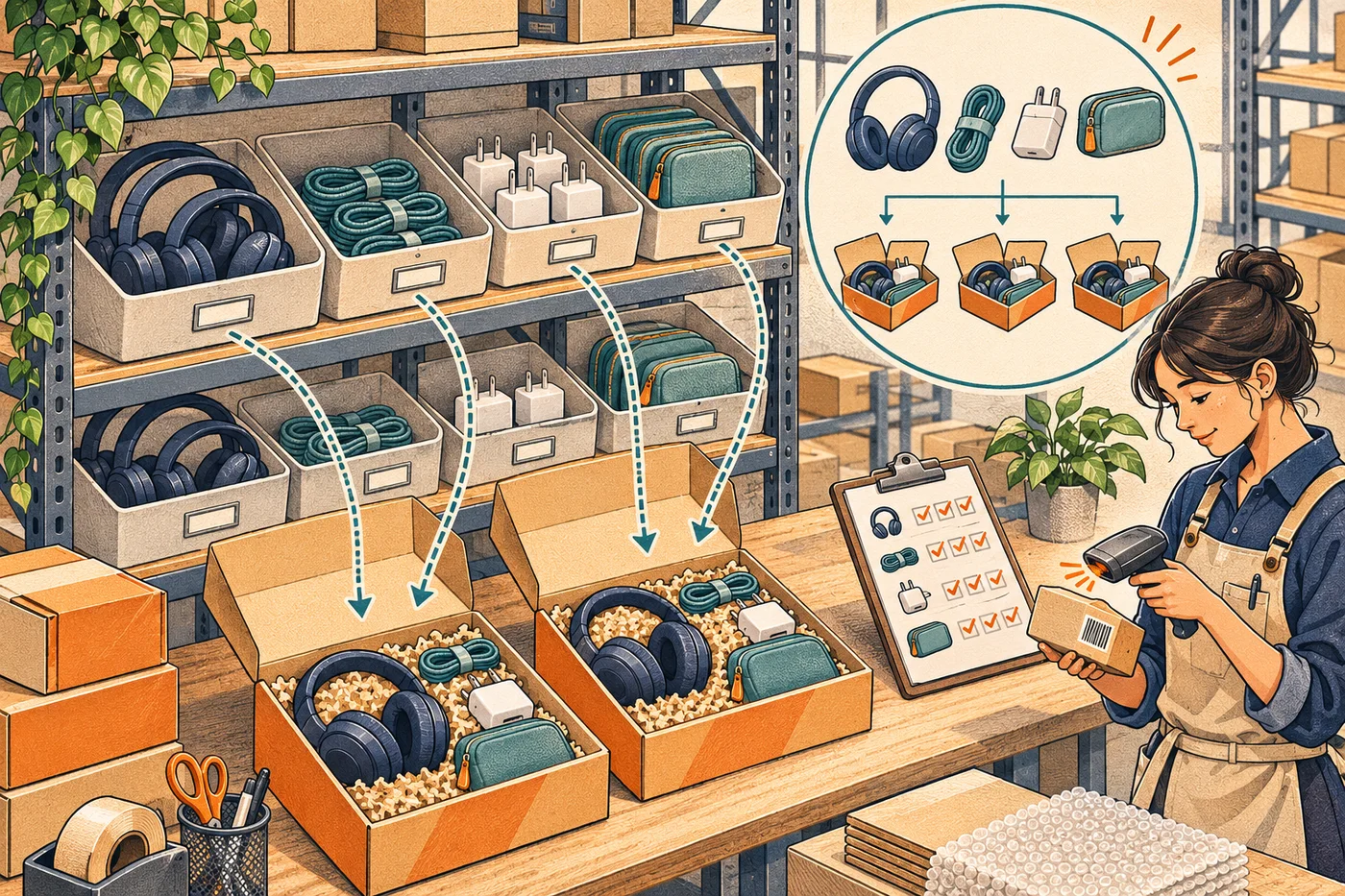
A separate stress test of 20 virtual bundles built from shared components (one component SKU sold alone and inside several bundles) is layered on top. It is not part of the base profile: if you don't sell bundles, the bundle limits below should not remove a tool from your list. A virtual bundle is also not a pre-packed kit; converting one into the other is a business change, not a setting.
On units: 1,500 orders a month is not the same billing unit everywhere. Cin7 counts sales orders per year, Zoho counts orders and invoices per month separately, Veeqo counts seller-fulfilled orders imported in the prior 30 days, and Finale sets a monthly order base in your contract. The table converts to each vendor's unit.
Scenario A: same store, six configurations
Software subscription only, USD, excluding tax, platform fees, shipping, hardware, and implementation not explicitly included. "At the same rate" means the monthly figure times 12; it is not a first-year total and assumes no annual discount unless stated.
| Product and plan that covers the profile | Published subscription basis | Capacity that matters here | Decisive limits and manual steps |
|---|---|---|---|
| Zoho Inventory – US Standard + two 500-order add-ons; or Premium | Standard $29/mo + 2 × $7.50/mo = $44/mo annual-billing equivalent ($528/yr). Premium $79/mo annual equivalent ($948/yr) | Standard: 3 users, 2 locations, 1 Shopify store, 500 orders, 500 invoices, 300 POs per month. Premium: 3,000 orders and 3,000 invoices/mo, 5 users | Whether the invoice cap rises with the order add-on is not published. Kit-to-channel mapping is labeled Early Access. Shopify returns import added May 2026; payment refunds and restock are separate steps |
| Veeqo Inventory | $50–88/mo shown for the 1,001–2,500 order tier (about $600–1,056/yr). No exact 1,500-order price is published; we do not interpolate | Unlimited users, SKUs, locations. Billed on seller-fulfilled orders only | Editing line items on an Amazon or Shopify order stops that order syncing. Refunds push to Shopify, never pull from it. Bundles: max 25 components, no nesting |
| Cin7 Core – Pro | $599/mo, $7,188/yr at the same rate. New-customer price before tax | 10 users, 4 integrations, 24,000 sales orders/yr. Standard ($349/mo) covers only 6,000/yr | Shopify cancellations and returns flow in; Core-side cancellations, refunds, restocks do not flow back. Orders edited after download are fixed on both sides. Onboarding typically 4–10 weeks |
| Descartes Finale – Essentials | From $499/mo ($5,988/yr at the same rate). Configured price for 1,500 orders, 3 users, 2 connections requires a quote | Users and integrations are hard limits; monthly order base set at account creation, overage above it | Most customers sign 12–36-month terms. Average costing only. Growth ($799/mo) adds the barcode WMS; not required here |
| Linnworks | Quote required. Priced by order volume, advanced modules extra, guided onboarding included | Users, SKUs, modules set in the quote | Shopify refunds must start in Linnworks; refunds or returns started in Shopify do not flow in or restock. Composite parents must be Untracked to use child stock |
| Katana – Advantage | Quote required (custom annual scope). Free plan is 30 SKUs and Shopify-only, so it does not fit | Unlimited SKUs, users, integrations under the scoped contract | Amazon refunds and returns handled in Seller Central; cancellations mirrored by hand. Shopify returns restock only when marked Restocked; financial refunds not handled |
Sources: Zoho US pricing and plan comparison; Veeqo pricing and plans overview; Cin7 pricing; Finale pricing and limits and overage; Linnworks pricing; Katana pricing.
Read the price column with care. Zoho's $44 and Veeqo's $50–88 are published tiers that cover the stated volume. Cin7's $599 is the plan whose published capacity covers 18,000 orders a year; Standard plus a capacity add-on might cost less, but the add-on price is not public, so Pro is the "known to fit" figure, not a proven minimum. Finale's $499 is a floor, not a configured price. Linnworks and Katana publish no figure for this profile, and we don't fill the gap with old third-party numbers.
Product by product: why it's on the list, when to switch, what stays manual
Zoho Inventory
Why shortlist it. For a 3-person, one-warehouse team, Zoho is the cheapest published configuration that covers the volume. US Standard includes 3 users, 2 locations, and one Shopify store, and order capacity is added in 500-order blocks at $7.50/month on annual billing (pricing, comparison). Purchasing and receiving are native, and the Shopify and Amazon connectors push stock out after an initial stock fetch.
When to switch. If accounting needs one invoice per order: Standard lists 500 invoices a month, and nothing published says that cap rises with the order add-on. Premium at $79/month (annual equivalent) lists 3,000 orders and 3,000 invoices and removes the ambiguity. Also if the bundle test matters: kit-to-channel mapping, which lets a Shopify or Amazon listing map to a kit and deduct components on import, appears in the August–October 2025 update under an Early Access label. Confirm it is on for your organization before relying on it.
What stays manual. The May 2026 update added Shopify sales-return import (what's new), so older complaints that Zoho "doesn't handle Shopify returns" are out of date. A return record is still not a payment refund or a restocked unit; treat those as separate checks. The Amazon connection also requires your base currency to match the marketplace currency.
Verify in the trial. Sell the same component alone and inside a kit on both channels at once, then check that each channel's sellable quantity drops correctly. That one test shows whether kit mapping is live for you.
Veeqo
Why shortlist it. Veeqo's plans overview (updated October 2026) moved inventory sync, digital picking, purchasing automation, and reporting into paid plans; the free Shipping tier can pull channel stock but does not control it. For this profile you would buy the Inventory plan, and the pricing page shows $50–88/month for the 1,001–2,500 order tier. Users, SKUs, and locations are unlimited, so a 3-person team is not a cost driver. Bundles share components across multiple bundles (up to 25 components each, no nesting); purchase orders and receiving are native.
When to switch. If your support process edits order lines after import. Veeqo's edit-an-order article states that once line items are edited or removed on an Amazon, Shopify, or eBay order, that order no longer syncs, and later status changes are handled in the channel. A Shopify App Store review from Elev8 Supplies (July 28, 2026) describes exactly that: order changes handled on both sides, with refunds and reserved stock falling short of their needs. One merchant's account, not a failure rate, but it matches the documented rule.
What stays manual. Refunds run one way: Veeqo pushes full or partial refunds to Shopify but does not pull refunds started in Shopify (Shopify overview); Amazon is not on the refund-push list, so Amazon refunds happen in Seller Central. Physical returns are logged with a restock-or-write-off choice (refunds and returns). Budget a short daily exceptions routine.
Verify in the trial. Confirm your billable order count. Veeqo bills on seller-fulfilled orders imported in the previous 30 days, so a promotion month can push you across the tier boundary.
Cin7 Core
Why shortlist it. Cin7 Core is the only system here whose published capacity table covers this profile with named numbers: Pro at $599/month includes 10 users, 4 integrations, and 24,000 sales orders a year (pricing). Assemblies, kits, and purchasing are base capabilities, and the Shopify connector's auto-assembly option counts component stock toward sellable quantity (Shopify integration FAQs). If a second warehouse, wholesale, or accounting integration is a year away, Core grows into it.
When to switch. If nobody owns the implementation. Cin7's onboarding article describes group onboarding at 4–6 weeks and one-to-one at 8–10 weeks, with the customer contributing 4–6 hours a week (onboarding). Each Shopify store consumes one of the four integration licenses. A Shopify App Store review from Leather Gallery (February 6, 2026), a furniture seller that moved from Omni to Core, reports BOM availability and WMS interactions that did not work as expected; the official FAQ confirms assembly availability depends on configuration and that Advanced Manufacturing quantities are not pushed to Shopify. Demo your bundle model before buying.
What stays manual. Event direction is asymmetric: Shopify-originated returns, refunds, and cancellations are captured in Core, but cancellations, refunds, and restocks done in Core are not sent to Shopify (returns, refunds and cancellations). Orders edited after download are matched by hand or voided and re-imported (download orders). Monthly billing carries a commitment and notice period that differs between help pages and terms; one long-time merchant (Soundbrenner, Shopify App Store, February 7, 2025) reported being asked for a sales call and 30 days' notice to cancel. Get cancellation terms in the order form.
Verify in the demo. Cancel a Shopify order from inside Core and watch what Shopify shows. That one action exposes the direction problem and tells you who owns the Shopify side.
More plan detail: Cin7 tool page.
Descartes Finale
Why shortlist it. Finale is a warehouse-and-purchasing system first. Its Expand vs Never Expand BOM setting lets channel orders for a bundle deduct component stock on import without a prior build, which the virtual-bundle test needs. The Shopify integration page describes orders imported every five minutes and stock pushed within five minutes (vendor statements, not a measured SLA).
When to switch. Three published limits. Finale uses average costing only, not FIFO or LIFO; if your accountant requires FIFO, stop here. Its BOM is single-level (BOM page), light assembly rather than MRP. And its Amazon FBA page states MCF is not currently supported, which matters in Scenario B.
What stays manual. The price. Essentials starts at $499/month, but users and integrations are hard caps and the monthly order base is set at signup with overage above it (limits and overage). The pricing FAQ says most customers sign 12-, 24-, or 36-month agreements and that extra QuickBooks consulting may be billed. Connector-level rules for partial Shopify refunds and partial physical restocks were not confirmed in the public documentation we reviewed.
Verify in the demo. Import a Shopify bundle order with Expand BOM on, confirm component deductions, then process a partial return of one component and see where it lands. Ask for the written order base and overage rate at the same time.
See also the Finale Inventory tool page.
Linnworks
Why shortlist it. Linnworks is an order-management system with a rules engine for routing and shipping, native Shopify and Amazon connections, and purchasing with partial receiving (channel integrations, PO receiving). Composite parents use child stock when set to Untracked (composite stock levels). A G2 reviewer running Shopify, Amazon, and eBay (November 3, 2026) credits the rules engine and labeling with cutting manual work while noting that Amazon attribute mapping took real effort; the vendor reply acknowledged the setup investment. That is what you are buying: automation after configuration.
When to switch. If nobody can configure it, or if your returns start in Shopify. The current Shopify GraphQL FAQ (updated August 24, 2026) is explicit: refunds sync from Linnworks to Shopify, and a refund or return started in Shopify will not update Linnworks or restock. Adding order lines after import can also break the Shopify line link and cause a refund to fail.
What stays manual. Pricing. Linnworks prices by order volume with advanced modules priced separately; no figure for 1,500 orders, 3 users, and two channels is published. Your quote must name modules, user count, and overage terms.
Verify in the demo. Start a refund in Shopify, not in Linnworks, and watch the order and the stock. If your support team lives in Shopify, this is the workflow they break first.
Katana
Why shortlist it. Katana is manufacturing-first with a credible retail path. Its native Amazon FBM connector imports open orders, pushes sellable stock, and returns tracking (FBM overview, FBM stock sync). Shopify and Amazon kits push "Potential stock" computed from components (Shopify kits), which fits the shared-component test. Purchase orders support partial receiving (receive a PO).
When to switch. If you do not make anything. The Free plan caps at 30 SKUs and connects only Shopify, so this profile requires the quote-only Advantage plan, a custom annual scope that bundles implementation and maintenance. Without a manufacturing requirement, that quote has to beat Veeqo or Zoho on total operating cost. Reviews citing Katana's old Core plan near $299/month or add-on fees for batch and bin features describe retired pricing; the current structure is Free or Advantage.
What stays manual. Amazon refunds and returns happen in Seller Central; an Amazon order cancelled before shipment must be updated in Katana by hand; Amazon customer addresses do not appear in Katana, so labels come from Seller Central or your carrier tool (manage FBM orders). Shopify returns enter Katana but increase stock only when marked Restocked, and Katana does not process the financial refund (Shopify returns).
Verify in the demo. Process a damaged Shopify return that must not return to sellable stock, then a good one that must, and check both channels afterward.
See also the Katana tool page.
Scenario B: a China-based merchant selling to the US
In this scenario, the merchant is based in China and sells to US customers through Shopify and Amazon US. The comparison still assumes 1,500 orders a month, 500 active SKUs and three operators. Stock sits in Amazon’s US fulfillment centers, with FBA for Amazon orders and MCF for Shopify orders. Both channels share the same inventory pool.
Three Amazon terms, only as far as they change the choice:
- GWD (Global Warehousing and Distribution) is origin-country storage with cross-border replenishment into Amazon's US network via Amazon Global Logistics. Amazon's help page states it does not currently distribute from GWD to US AWD or to non-Amazon locations. GWD is upstream stock, not a sellable US pool.
- FBA fulfills Amazon orders from Amazon's US fulfillment centers; MCF fulfills off-Amazon orders from the same pool. Software that can see FBA stock cannot necessarily submit MCF orders.
- AWD is bulk upstream storage, not a consumer fulfillment method and not a required GWD step.
FBA for Amazon orders, MCF for Shopify orders
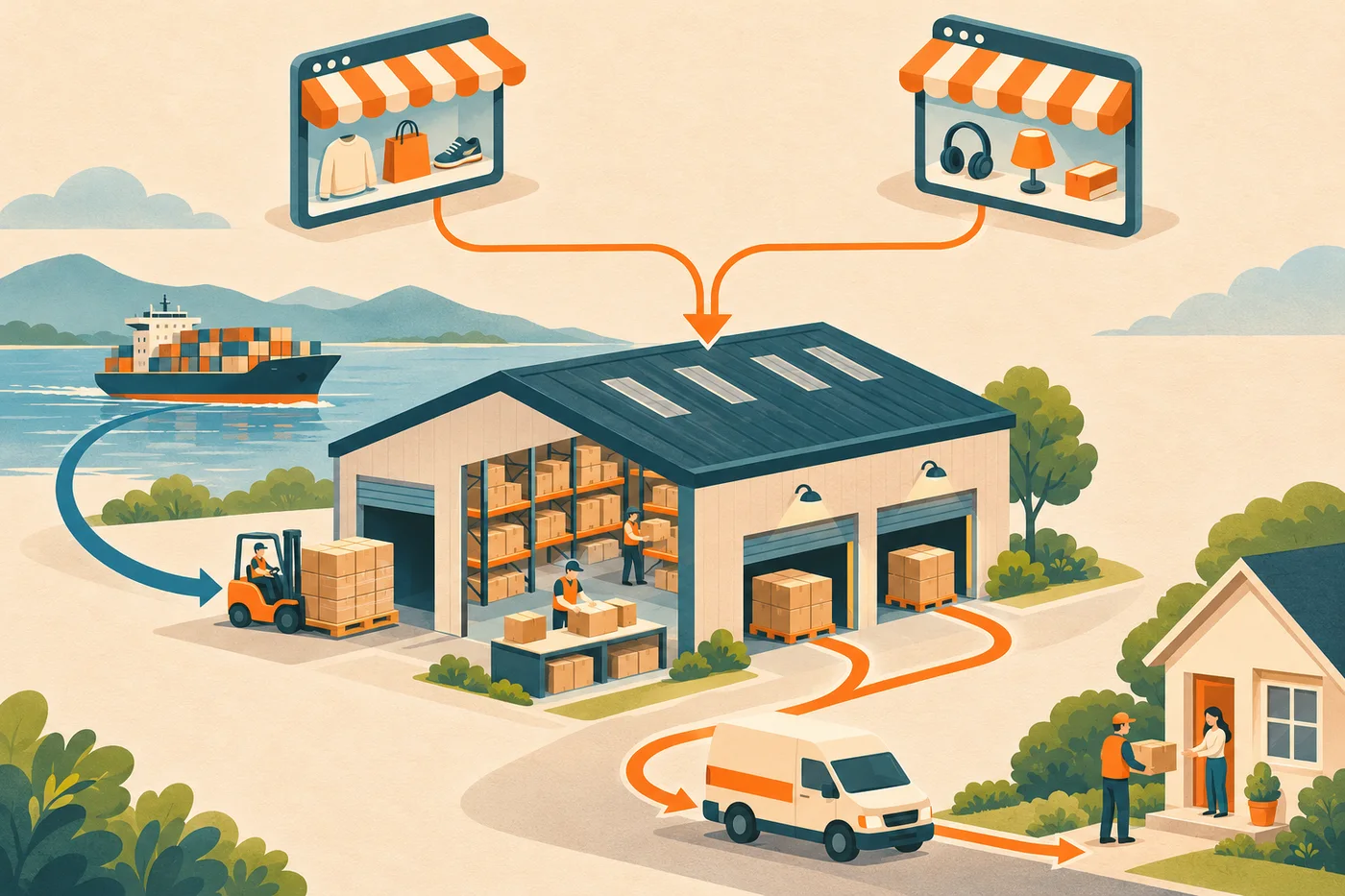
Amazon packs and ships orders from both channels, while GWD (if used) replenishes that pool upstream. When comparing systems, check: can it see FBA stock, can it submit Shopify orders to MCF, and what happens to shared-component bundles when Amazon, not you, is packing.
The baseline is Amazon's free official Shopify MCF app. Per its user guide, it syncs Amazon fulfillable inventory to Shopify, submits fulfillment requests manually or automatically, returns tracking, and can map Shopify bundle components to MCF SKUs or use a pre-packed bundle SKU. Returns are not handled by the app. The app is free; storage, FBA, MCF, and return fees are not, and it is not a purchasing, multi-warehouse, or costing system.
| System | FBA visibility and Shopify-to-MCF | Shared-component bundles under MCF | Cost and manual boundary |
|---|---|---|---|
| Amazon official Shopify MCF app (baseline) | Native inventory sync, fulfillment requests, tracking | Component-SKU mapping per official guide; test with your bundle app and routing | Free app; logistics billed separately. Purchasing, GWD visibility, refunds, physical returns live elsewhere |
| Veeqo | Documented native MCF submission and status tracking (FBA overview) | Does not pass: FBA/MCF bundles must be pre-packed and set up as a simple SKU (bundles) | FBA and MCF orders are excluded from billable volume (plans overview), so the Scenario A band does not apply; if every order were Amazon-fulfilled the merchant would sit at the bottom of the Inventory tier (from $19/mo), a reading of the billing rule, not a quote |
| Cin7 Core | Native FBA/MCF path, but a person must authorize every MCF shipment, even with auto-ship on (MCF article) | Splitting a virtual kit into MCF component requests not confirmed in public docs | Pro remains the budget reference; confirm whether the FBA connection license uses one of the 4 integrations. FBA returns unsupported; tracking polled twice daily (FBA article) |
| Linnworks | Automatic MCF submission documented as an advanced package feature (Amazon MCF, FBA page) | Older help describes component-split and pre-packed models (FBA composites); current behavior needs a demo | Quote must name the MCF module, whether FBA/MCF orders count toward volume, and de-duplication rules. Scenario A refund direction still applies |
| Zoho Inventory | FBA locations, items, orders sync (Amazon help); no official native Shopify-to-MCF path found | Does not pass: the kit announcement states FBA items cannot map to kit items | A third-party MCF connector adds cost and needs its own verification |
| Descartes Finale | FBA and AWD visibility, but MCF officially not supported at present (FBA page) | BOM capability does not prove MCF component fulfillment | Viable only paired with the official app or another MCF connector; stock mastery, duplicate orders, and return ownership must then be designed and tested |
| Katana | FBA stock and shipped orders import one-way as External stock, reconciled daily, weekly, or manually (FBA reconciliation); native Shopify-to-MCF not found | General kit features do not demonstrate MCF component fulfillment | Shopify sync skips app-managed locations such as MCF, yet those orders still consume stock at the mapped Katana location (Shopify stock sync); test for double deduction |
Two cautions. Veeqo's pre-packed requirement is a Veeqo connector rule, not an Amazon rule; Amazon's own app accepts component mapping. And Amazon marketplace Virtual Bundles are a listing feature with their own eligibility rules and no API for creation; they are not Shopify bundles, and no system here should be assumed to create or maintain them.
Choosing a system for Scenario B. If the only job is sharing one US FBA pool across Amazon and Shopify, test the official app first. If the merchant also needs centralized purchase orders against Chinese suppliers, GWD and in-transit quantities as distinct stock states, and bundle costing, the systems with a documented MCF path are Veeqo (if bundles are pre-packed or absent), Linnworks (if the quote fits), and Cin7 Core (if someone will click Authorize on every MCF shipment). Finale is out as the MCF executor. Zoho and Katana are inventory and purchasing tools in this scenario, not fulfillment routers, unless a connector you have verified fills the gap.
When a native connection is enough, and when you need a full system
Skip a full inventory system when all of these are true: stock lives in one pool, each channel's native connector already pushes sellable quantity correctly, your bundles fit your channel's bundle app, and your team will handle purchasing, receiving, and return exceptions inside Shopify and Seller Central. In Scenario B, that is the official-MCF-app case. For a Shopify-only store, the native options are in our Shopify inventory management software guide.
You need a full system when any of these appear: a second stock location (including transit stock you must not oversell), purchase orders with partial receiving, shared components across SKUs and bundles, costing by SKU, or an exceptions queue that two or three people work daily. Those are the jobs the six systems do; submitting orders to a channel is the part a native app already covers.
Forecasting is a different purchase. These systems execute inventory; if your gap is deciding how much to buy, start with our inventory forecasting tools comparison.
A selection checklist you can run in a week
- Write down each vendor's billing unit and convert 1,500 orders a month into it. Ask what a 2,200-order month costs.
- Get the configured price in writing: users, integrations (one per Shopify store on Cin7), add-ons, implementation, contract length, cancellation notice.
- Run the shared-component test. Sell the same component alone and in a bundle on both channels; check both channels' sellable quantities after each order and after one cancellation.
- Run the refund trio. Refund without return; return a good unit; return a damaged unit. Record where the money moves, where the stock moves, and which screen your team used.
- Edit an order after import (add a line, remove a line) and see whether it keeps syncing.
- Receive a purchase order partially and confirm open and in-transit quantities are not sellable.
- For Scenario B only: submit a Shopify bundle to MCF through the candidate, confirm it is submitted once, confirm tracking returns to Shopify, and cancel inside the MCF window.
- Export your data from the trial. If export is restricted on the trial plan, ask what the paid plan allows before you sign.
FAQ
Does "supports Amazon" mean I can use it with FBA and MCF? No. Seeing FBA stock, submitting Shopify orders to MCF, and seeing GWD or cross-border transit are three separate capabilities. Finale sees FBA stock but does not support MCF; Zoho and Katana see FBA stock with no confirmed native MCF submission; Veeqo, Linnworks, and Cin7 Core document MCF submission with the conditions in the Scenario B table.
I sell bundles. Which systems handle shared components? In your own warehouse: Veeqo (up to 25 components, no nesting), Cin7 Core (auto-assembly), Finale (Expand BOM), Linnworks (Untracked composite parent), Katana (Potential stock), and Zoho once kit mapping is enabled for your account. Under MCF, Veeqo requires pre-packed bundles and Zoho cannot map kits to FBA items; the official Amazon app and Linnworks document component mapping; Cin7 Core's path is unconfirmed.
Why no one-to-six ranking? Because the order changes with the fulfillment setup and the bundle requirement, and because this comparison rests on official documentation and dated merchant reports rather than a controlled test. The scenario tables give you reasons to shortlist or rule out each configuration; the checklist turns that into a decision.
Prices, plan capacities, and connector rules were checked on November 8, 2026 against the linked vendor pages. Vendors change plans and documentation; confirm current terms before you sign.
Comments
Share experience or ask a question. Comments are plain text; any external link is automatically marked nofollow.
No comments yet.