Klaviyo: email and SMS marketing
Klaviyo is a B2C CRM with shared customer data and AI foundations supporting Marketing, Service, and Analytics. Its operating surface spans profiles, segments, campaigns, flows, mobile and social channels, and extends into reviews, shopper self-service, AI and human support, reporting, attribution, and advanced data work.
Klaviyo is a B2C CRM with shared customer data and AI foundations supporting Marketing, Service, and Analytics. Its operating surface spans profiles, segments, campaigns, flows, mobile and social channels, and extends into reviews, shopper self-service, AI and human support, reporting, attribution, and advanced data work.
Klaviyo is a B2C CRM with shared customer data and AI foundations supporting Marketing, Service, and Analytics.
- Views
- 0
- Uses
- 0
- Favorites
- 0
- Editorial Score
- 83/100
- Supported Platforms
- Shopify · BigCommerce · WooCommerce · Magento
- Freshness
- Updated Oct 12, 2026
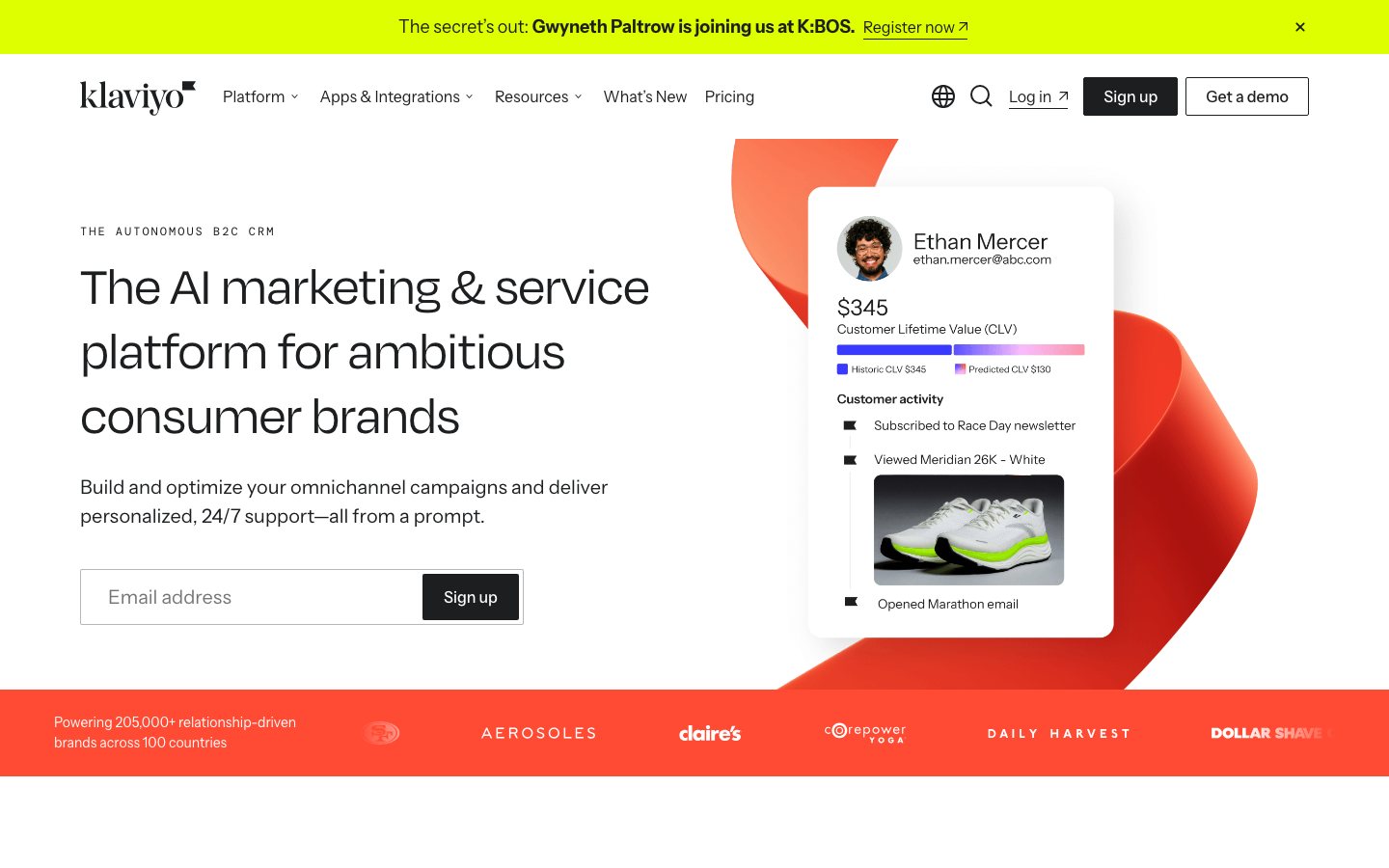
Buying view: Klaviyo is a strong candidate when an ecommerce team wants marketing, service, analytics, and customer-data activation to share the same customer profiles. It is not one flat subscription: active profiles, channel use, Composer, Reviews, Service, Analytics, and Data Platform products can create separate meters or plan decisions.
Klaviyo features and workflows
Customer and event data enters the Klaviyo Data Platform, K:AI analyzes or acts on that shared context, and the Marketing, Service, and Analytics pillars use it for different operating jobs. Across these layers, 13 current product and feature offerings cover channel execution, autonomous agents, shopper self-service, human support, reporting, and advanced data work.
Klaviyo use cases
Commerce teams often keep customer data, marketing execution, service conversations, and performance analysis in separate systems. Klaviyo brings those operating areas onto shared real-time profiles so that a customer action can inform the next message, service response, or measurement decision.
How Klaviyo works
The system has two shared foundations—Klaviyo Data Platform and K:AI—and three business pillars: Marketing, Service, and Analytics. Its product surfaces cover channel execution, autonomous agents, self-service, human support, reporting, and advanced data work.
Klaviyo Data Platform supplies the shared customer record and K:AI supplies intelligence across the suite. Marketing, Service, and Analytics then use that common context for different jobs; the figure is a composition map, not a required step-by-step workflow.
Advanced KDP, Composer, Reviews, Social Marketing, Customer Hub, Customer Agent, Helpdesk, and Marketing Analytics can introduce their own eligibility, usage, or commercial boundaries even though they remain connected to the same CRM.
What each module does and its role
Klaviyo Data Platform
Klaviyo Data Platform combines clicks, purchases, marketing engagement, and service interactions into real-time customer profiles that teams can segment and activate. More than 350 integrations and flexible APIs bring data into the same profile layer, which then supports Marketing, Service, and Analytics.
Advanced Klaviyo Data Platform
Advanced KDP extends the shared data layer with no-code data transformation, data-warehouse synchronization, custom monitors, and advanced analytics. It is a separately selected product for teams whose profile, event, and activation requirements exceed the built-in data-platform capabilities.
K:AI
K:AI is the intelligence layer embedded across Klaviyo's marketing, service, and analytics work. It combines agents such as Composer and Customer Agent with more than 40 predictive and generative capabilities for audience, content, channel, timing, product recommendations, and optimization, while keeping human approval or controls where the feature requires them.
Email, forms, campaigns, and flows
Marketing teams capture consent with forms, build real-time segments, create one-off campaigns, and automate lifecycle messages with event-triggered flows. Templates and a drag-and-drop workflow support common journeys such as welcome, browse abandonment, cart recovery, post-purchase, and win-back without requiring code for the standard setup.
Mobile Messaging
Mobile Messaging extends campaigns and flows across SMS, MMS, RCS, WhatsApp, and mobile push where the channel and region are supported. Teams can coordinate these touchpoints with email in multi-channel campaigns, use behavior-triggered sends, and let channel-affinity signals help select how to reach each customer.
Social Marketing
Social Marketing turns interactions such as Instagram comments, direct messages, and tags into consented email, text, or WhatsApp subscribers and adds the resulting signals to customer profiles. It also supports real-time audience syncing for advertising and lets teams trigger segments and follow-up flows from social behavior.
Composer
Composer analyzes campaign, segment, and flow performance to surface revenue opportunities, then can build the audience, draft content, and plan a campaign or automation from a stated goal. Its recommendations include supporting context, and the marketer reviews the work before anything goes live.
Reviews
Klaviyo Reviews collects product feedback through email or SMS requests, displays social proof with storefront widgets, and can syndicate eligible reviews to supported commerce surfaces. Custom questions and review behavior add buyer data to profiles, allowing teams to build segments, personalize follow-up, and route disappointed customers into support workflows.
Customer Hub
Customer Hub gives shoppers a personalized account and self-service surface for orders, returns, subscriptions, loyalty, recommendations, wishlists, and support. Activity in the hub syncs back to Klaviyo profiles so that service actions and shopper preferences can improve later campaigns and recommendations.
Customer Agent
Customer Agent answers product and policy questions, recommends products, tracks orders, and handles supported return, subscription, or loyalty requests across configured channels such as web chat, email, SMS, and WhatsApp. It grounds responses in the customer's profile, brand content, guidance, skills, and connected tools, then hands the conversation to a person when the request exceeds its approved scope.
Helpdesk
Helpdesk gives human service teams a unified inbox for email, chat, SMS, WhatsApp, and Instagram DMs with customer, order, loyalty, marketing, and conversation context beside each ticket. AI-assisted tagging, routing, macros, and automations speed handling, while Customer Agent can transfer unresolved conversations with their context intact.
Built-in reporting
Klaviyo Marketing includes pre-built dashboards and customizable reports for campaigns, flows, subscriber growth, engagement, deliverability, and benchmarks. Teams can adjust attribution settings and use the resulting performance view to find weak journeys or decide where to increase investment without buying the advanced analytics add-on first.
Marketing Analytics
Marketing Analytics adds deeper customer, product, and business analysis beyond the reporting included with Klaviyo Marketing. Its advanced capabilities include RFM, funnels, cohorts, multi-touch attribution, customer and product insights, custom CLV controls, and analysis that can feed audiences or next actions back into the CRM.
Klaviyo pricing and purchase terms
View official pricing detailsEstimated from published pricing rules
Klaviyo three-family platform pricing calculator
Rebuilt from the complete current public US pricing module graph, direct price tables and total function, then checked against the live plan builder.
Use the included allowances below before moving to a paid active-profile tier.
- Up to 250 active profiles
- 500 email sends per month
- $5 of mobile messages per month
- 10,000 Composer credits
- Built-in reporting
- Customer Hub and basic Helpdesk
- Email support for the first 60 days
The required platform foundation for personalized campaigns and automated flows; its active-profile tier is included in every calculated plan.
Email foundation plus mobile messaging, social marketing and reviews.
Adds SMS, MMS, WhatsApp marketing, WhatsApp transactional, Basic RCS and Single RCS using destination ratios and rounded credit packages.
Turns social engagement into customer growth and follows the shared active-profile band.
Uses the shared 1,500 active-profile tier above.
Collects and displays product reviews; the public plan total follows monthly review-order volume.
Email is already priced as the required foundation above, so it is not duplicated in the Marketing product cards.
Composer and Customer Agent use independent usage tables. Customer Agent belongs to Service but follows the official separate AI-agent shortcut here and is priced only once.
A separately selectable AI marketing agent that creates campaigns, analyzes performance and checks work using a monthly credit pack.
A separately selectable Service AI agent that answers questions, recommends products and resolves shopper conversations.
US-English USD monthly public pricing. It includes the current published introductory prices where shown. Taxes, carrier-fee changes, flexible overages, negotiated contracts, Professional Services and Enterprise platform quotes remain outside the estimated total. Official pricing page
Use the calculator above for Klaviyo's public self-serve products. Professional Services and Support are purchased as support packages, while Enterprise platform plans use negotiated contracts; the tables below list their published starting-price or quote status and included services.
Professional Services & Support
These support packages help paid customers operate Klaviyo with email and live-chat assistance, training, deliverability guidance and specialist access, with three tiers for different response and service needs.
| Product or sales surface | Scope | Public price and status |
|---|---|---|
| Standard | For paid-plan customers using Klaviyo's included baseline support. Included plan entitlements
| Included in paid plans |
| Professional | For teams that need faster responses, expanded live chat, training and deliverability guidance. Included plan entitlements
| Starts at $500/month · Contact sales |
| Enterprise support | For enterprise teams that need the fastest support targets and specialist access. Included plan entitlements
| Starts at $1,800/month · Contact sales |
Enterprise platform contracts
These contracts let enterprise organizations buy Klaviyo's omnichannel marketing, profiles, segmentation and reporting platform, with Klaviyo Advanced adding custom integrations, stronger security and compliance, and advanced data capabilities.
| Product or sales surface | Scope | Public price and status |
|---|---|---|
| Klaviyo Standard | For enterprise organizations buying the core omnichannel platform under a negotiated contract. Included plan entitlements
| Custom quote |
| Klaviyo Advanced | For enterprise organizations that also need custom integrations, stronger controls and advanced data capabilities. Included plan entitlements
| Custom quote |
Klaviyo AI alternatives compared
| Product | Product scope | Best-fit scenarios and implementation responsibilities | Pricing and billing |
|---|---|---|---|
| KlaviyoCurrent product | Klaviyo is a CRM platform for B2C brands. For ecommerce lifecycle marketing, this page mainly compares its Marketing capabilities, including using customer data for email, mobile messaging, and automated journeys, rather than treating “AI” as a separately purchased product. | Best fitBest fit: Stores that want to run lifecycle marketing from unified customer data and may also use adjacent Klaviyo capabilities such as Service and Analytics. ImplementationImplementation: Connect store or customer data, organize contactable audiences, build campaigns and automated flows, and configure the messaging channels to be used. | |
| Omnisend | An ecommerce email and marketing automation platform supporting email and web push; under the current rules, SMS is available on Pro through a separate SMS subscription. | Best fitBest fit: Teams mainly using shopping behavior for email, SMS/push, and lifecycle automation, without needing to replace Klaviyo's broader Service and Analytics scope. ImplementationImplementation: Connect the store, migrate contacts and templates, and rebuild workflows. For SMS, select Pro and set up an SMS Credits Subscription. Official product and workflow ↗ | Standard starts at $16/month and Pro at $59/month. Standard includes an email allowance of billed contacts × 12, while Pro includes unlimited email. Under the current model, effective after May 4, 2026, SMS is not included in the Pro base fee; it requires a separate subscription and is billed by country and usage. Official pricing and purchase scope ↗ |
| Mailchimp | A marketing platform that combines email, automation, audience management, and SMS. | Best fitBest fit: Teams focused on creating email/SMS campaigns, audience segments, and automations rather than replacing Klaviyo across its full B2C CRM scope. ImplementationImplementation: Rebuild audiences, templates, and automations. SMS requires an application and approval in supported regions. Official product and workflow ↗ | Base marketing plan pricing varies by contacts, send volume, and plan. SMS is a paid add-on to paid marketing plans and is billed in SMS credits; SMS is unavailable on Free. Do not present the page's current default contact-tier price as a universal price for all customers. Official pricing and purchase scope ↗ |
| Brevo | Brevo Marketing Platform supports email, SMS, automation, and other customer messaging. | Best fitBest fit: Teams that want one messaging platform for campaigns, automation, and transactional/marketing messages without requiring a one-to-one match with Klaviyo's full CRM scope. ImplementationImplementation: Connect customer and order data, then rebuild automations and templates. SMS credits must be purchased separately. Official product and workflow ↗ | Base plans are priced mainly by email volume and feature tier. SMS is not included in base plans as a fixed monthly “SMS plan”; credits are purchased separately, with pricing varying by destination and other conditions. Official pricing and purchase scope ↗ |
| Iterable | A cross-channel customer engagement and journey orchestration platform that can coordinate email, SMS, mobile push, in-app messages, web messages, and other channels within one journey. | Best fitBest fit: Teams that need event-driven, complex multichannel journeys and consider cross-channel orchestration a primary selection criterion. ImplementationImplementation: Provide customer and event data, connect sending channels, and rebuild journey logic. Official product and workflow ↗ | No verifiable numeric public pricing was found on Iterable's official public pages in this review. State “Public pricing not found”; do not describe it as “free” or supply an estimated starting price. Official pricing and purchase scope ↗ |
| HubSpot Marketing Hub | HubSpot is CRM-centered; this comparison treats only Marketing Hub's audience management, automation, and campaign capabilities as the alternative scope. | Best fitBest fit: Marketing teams that also need campaigns coordinated with HubSpot CRM, sales, or service workflows. ImplementationImplementation: Configure CRM fields, marketing contacts, integrations, workflows, and permissions. Do not imply that purchasing Marketing Hub enables every Hub. Official product and workflow ↗ | Marketing Hub purchasing is determined by the plan, number of marketing contacts, and related seat and credit limits. On the official pages reviewed, Professional and Enterprise also had one-time onboarding requirements. Recheck prices for the target region before publishing. Official pricing and purchase scope ↗ |
Selection advice
Comparing email plans by active profiles and sends
Klaviyo email tiers depend on active profiles and send capacity, so stored contact totals alone are insufficient for sizing. When comparing Klaviyo with Omnisend or Mailchimp, calculate billable contacts under each vendor’s rules and apply the same campaign and automation schedule. The same list may fall into different purchasing tiers.
Comparing by actual destinations as mobile messaging grows
When SMS or WhatsApp becomes a major channel, Klaviyo’s email subscription is not the total cost. Compare Klaviyo and Brevo based on support for the required channels, and include Omnisend in the comparison for SMS. Check availability and rates for the same destinations, message types, and monthly volumes rather than assuming identical channel and regional coverage.
Checking the purchase scope when adding customer support
When support is needed alongside marketing, confirm the purchase requirements for Klaviyo Customer Agent and Helpdesk. Customer Agent is metered by AI-resolved customer conversations, while Helpdesk is metered by tickets requiring human support, including applicable Customer Agent escalations; email active-profile allowances do not define either workload. Decide whether to use them together based on the support workflow and marketing-data needs.
Klaviyo FAQs
How does Klaviyo fit into an ecommerce workflow?
Commerce, browsing, engagement, and service events enter unified customer profiles. Marketing teams use those profiles for segments, campaigns, and triggered flows; service teams use Customer Hub, Helpdesk, and Customer Agent; analytics and data products organize reporting, predictions, activation, and data movement across connected systems.
How is Klaviyo priced?
The public price references shown here are as follows: Free—up to 250 active profiles and 500 emails/month; Email—scales by active profiles and email volume; Email + Mobile—a profile-based plan plus country-specific message usage; Service / Analytics / Data Platform—separate product or usage-based pricing. The reconstructed calculator above applies the vendor's captured public inputs and entitlement rules.
What is the main Klaviyo boundary to check?
It is not one flat subscription: active profiles, channel use, Composer, Reviews, Service, Analytics, and Data Platform products can create separate meters or plan decisions.
Klaviyo integrations and connection requirements
Install the Klaviyo-built connector to sync new Gorgias ticket events into Klaviyo profiles, show selected Klaviyo profile context in Gorgias, and route supported SMS, WhatsApp, or negative-review conversations into the helpdesk. The connector does not backfill historical Gorgias tickets.
Klaviyo–Gorgias integration guideBring Klaviyo email and SMS metrics into Triple Whale dashboards, sync Triple Whale audience segments back to Klaviyo each day, and use Triple Whale pixel data to enrich profiles for campaign targeting.
Triple Whale in the Klaviyo App MarketplaceSync Okendo customer attributes and events into Klaviyo, use them for segmentation, and trigger personalized email or SMS flows from reviews and other post-purchase activity.
Okendo in the Klaviyo App MarketplaceUse Loox review timing, response events, and customer details to trigger Klaviyo review requests and follow-up flows without rebuilding the post-purchase handoff manually.
Loox in the Klaviyo App MarketplaceSend Stamped customer properties and events into Klaviyo, then use those signals to build segments, personalize messages, and trigger lifecycle flows.
Stamped in the Klaviyo App MarketplaceSources
- Klaviyo official product page
- G2 product-scoped review collection
- Capterra product-scoped review collection
- Shopify App Store product-scoped review collection
- Trustpilot product-scoped review collection
- Klaviyo official pricing calculator source
- Klaviyo official pricing calculator source
- Klaviyo platform overview
- Klaviyo B2C CRM framework lesson
- Klaviyo Marketing overview
- Klaviyo Service overview
- Klaviyo Analytics overview
- Klaviyo Data Platform overview
- Klaviyo AI overview
- Klaviyo Customer Agent operating model
- Klaviyo Reviews product overview
- Klaviyo Social Marketing overview
- Klaviyo integrations overview
- Klaviyo–Gorgias integration guide
- Triple Whale in the Klaviyo App Marketplace
- Okendo in the Klaviyo App Marketplace
- Loox in the Klaviyo App Marketplace
- Stamped in the Klaviyo App Marketplace
User reviews
3,263 reviewsChecked Sep 3, 2026
Klaviyo: Email Marketing & SMS Shopify app; this app-specific collection does not represent every Klaviyo product line.
We have been using Klaviyo for several years for email marketing and automation in our Shopify store, and overall we are very happy with it. The platform is intuitive and easy to work with, and as a Shopify user I especially like that the structure and interface feel familiar. Even as a small business without a dedicated marketing team, I’m able to create campaigns, segments and automated flows myself. There are lots of possibilities as you get deeper into the platform, and we continue to discover features that can make a real difference for our business. Most recently, we implemented Back in Stock notifications, which has already given us valuable insight into customer demand. Klaviyo is a powerful tool, while still being manageable for a small webshop like ours
Klaviyo has been an excellent addition to our store. The platform is powerful, intuitive, and makes email/SMS automation feel effortless. Segmentation, flows, and reporting are all top‑tier. Support has been responsive and genuinely helpful whenever we’ve needed guidance. Highly recommended for any merchant serious about retention and growth.
Ran an email campaign for the first time in Klaviyo. As I am new and building the list, even from a small campaign I got 2 conversions in 24 hours. Amazing! Klaviyo made it much simpler to send out the campaign!