
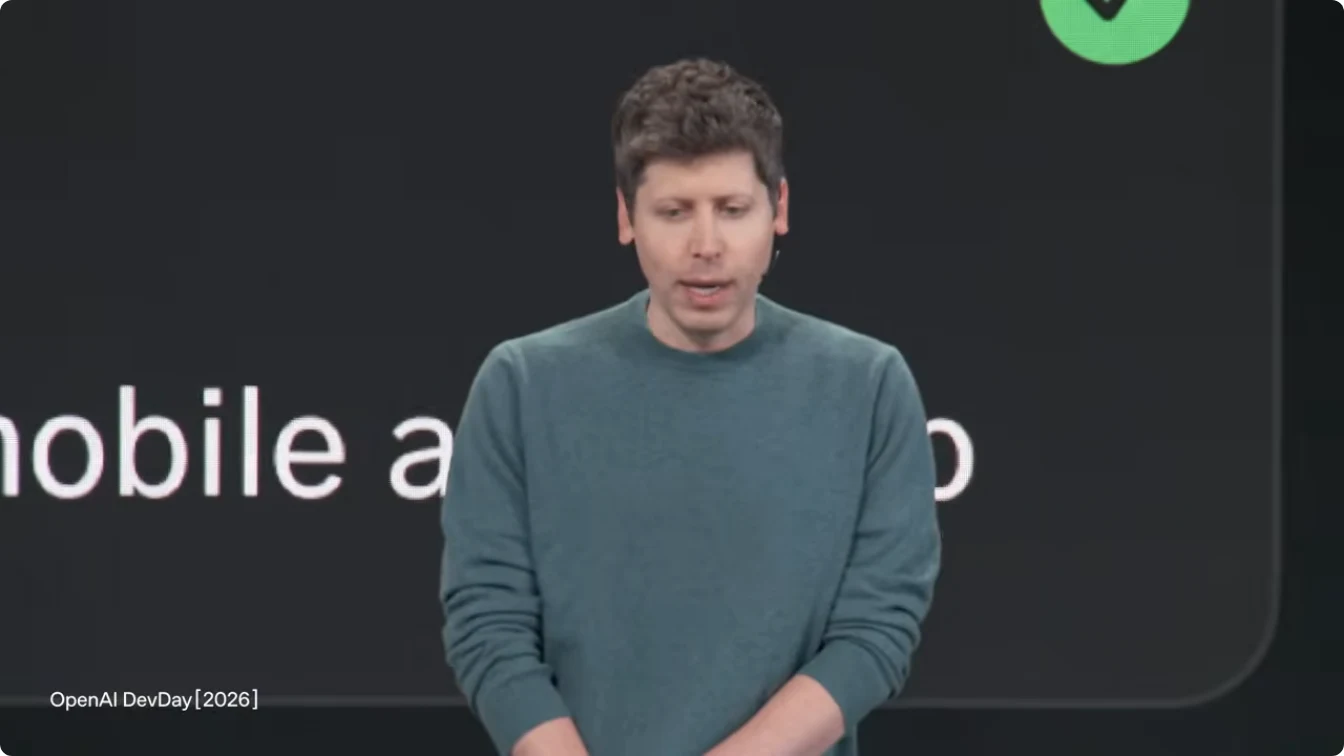
Sam Altman speaking at OpenAI DevDay 2026. Frame from the official OpenAI keynote replay, 01:17.
OpenAI DevDay 2026 has me rethinking how I use ChatGPT for ecommerce. Until now, the routine has probably sounded familiar. Paste in customer reviews and ask what people dislike. Upload product information and ask for a few versions of the copy. Hand over sales figures and get a weekly report.
That helps, but there is still plenty of work around it. You collect the documents, explain the background and share the result with colleagues. A few days later, something changes and you do much of it again.
At OpenAI DevDay on September 29, 2026, OpenAI started taking on more of that surrounding work. Its 20-plus announcements included Dots for ongoing tasks, Space for shared work, and plugin capabilities that can start a task when something changes in another app. Official recap
ChatGPT is becoming a place where you can assign work, follow changes and maintain the results with your team. For an ecommerce operator, the appeal is having fewer documents to chase, updates to relay and tasks to nudge along.
There are three things I especially want it to help with: the morning email backlog, reports that keep moving between apps, and the endless demand for social content. The first one alone has my attention. If I can sort things out with AI over breakfast instead of starting the day buried in my inbox, I am willing to spend some time setting it up.
1. Dots + Gmail: work through the backlog over breakfast
Dots are personal agents powered by GPT‑6 Astra. They have their own cloud computer and browser, can use connected apps and work on several projects, and learn your preferences from feedback. You can talk to them in ChatGPT, Slack or Teams. Introducing Dots
For a small merchant already using Google tools, the starting point is familiar: Gmail and Google Drive. Dots can connect to apps, and the Google Drive plugin also covers Docs, Sheets and Slides. Customer questions are in the inbox; product and support information is in Drive. Connecting those two gives a support assistant something useful to work with. Dots setup, Google plugin coverage
Give it the Drive documents your support replies depend on
If your product instructions, shipping policy, returns policy and FAQs already live in Drive, you can point your Dot to those documents when it prepares replies. Think of them as its support reference library. The job on your side is to choose the current documents, so last year's promotion does not get mixed up with today's policy.
You could schedule checks for new email, separate product questions from shipping and after-sales issues, and have it draft answers from those documents. Messages missing order details or involving compensation could go into a separate list. Scheduled inbox checks, prioritization and reply drafts already feature in OpenAI's own email workflow. Official inbox example
You sleep, it takes the night shift. Breakfast is the briefing.
Dots running in the cloud make a “night-shift support assistant” an interesting possibility for a small store. Set the checking schedule, sources and handling rules, then let it organize email and prepare replies while you rest. Refunds, compensation and uncertain cases can wait for the morning. How far sending can run automatically depends on the connected tools, permissions and approval settings. Dots permissions and execution
What I want to try is picking up my coffee and asking, “What came in overnight? Start with the urgent ones.” Then: “Add the delivery estimate to that reply. Make this one a little warmer. Leave those two refund requests with me.” By the end of breakfast, I would at least know what needs my attention.
The voice capability exists to support that idea. You can call your Dot from desktop web or the desktop app, ask about progress and change your instructions. Assigned work can continue after you hang up. Mobile access depends on the supporting app update. For someone whose day routinely starts in an overflowing inbox, that is more interesting than another benchmark score. Dots voice and device support
2. Space gives my old Notion report workflow some competition
For a while, I had the Notion plugin connected to my account. I saved AI-generated reports to Notion, shared them with colleagues, or passed them to Codex for implementation. In that workflow, Notion kept the result somewhere people could read it and pick up the next task.
Space now covers some of that territory. It provides a shared workspace; Pages support live editing and comments; and ChatGPT, Codex or a Dot can continue working with the same shared context. Space overview
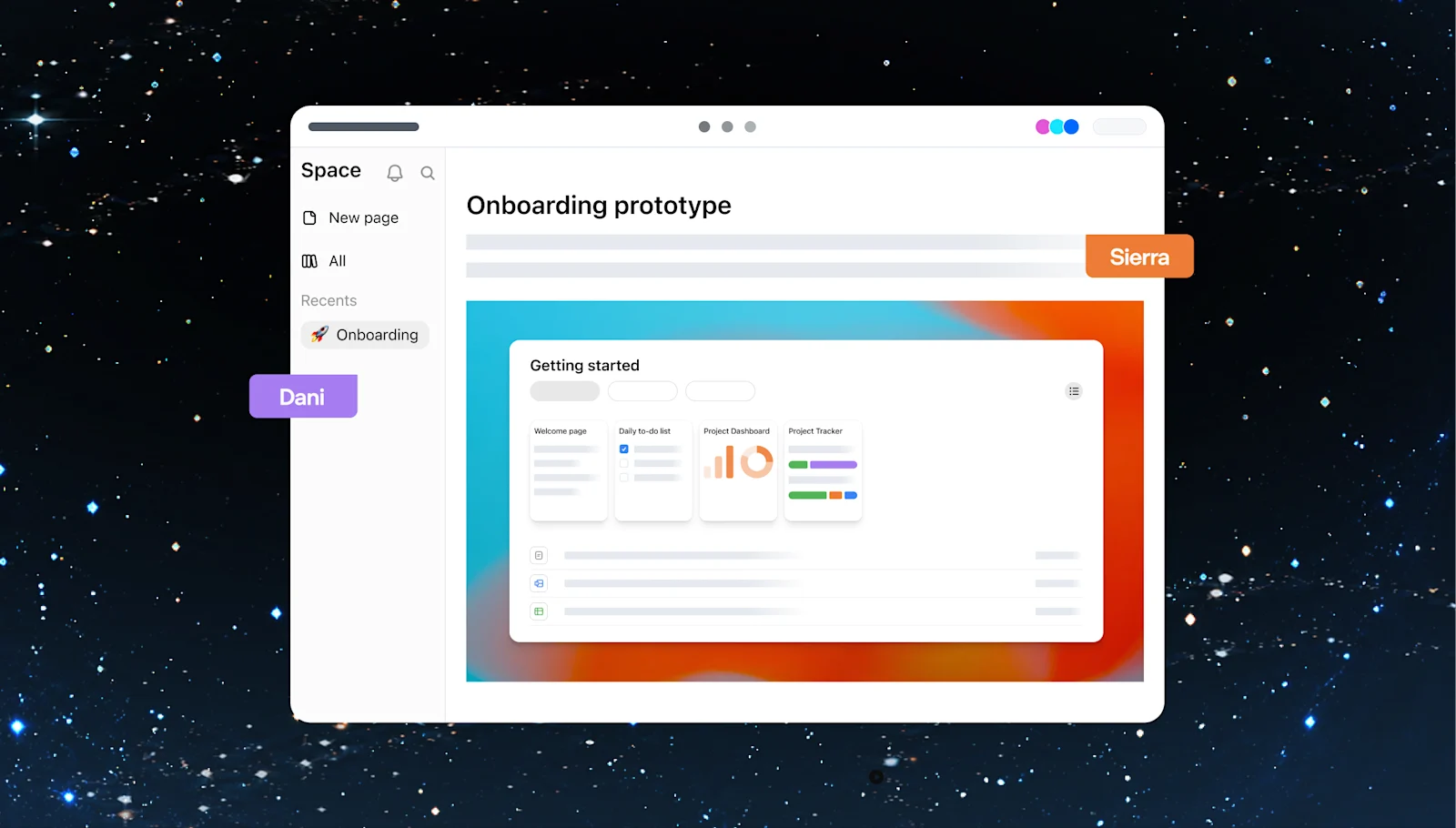
Official illustration of collaboration in Space. Image: OpenAI.
Suppose AI finishes research for a product-page redesign. Put the findings into a Page, invite colleagues to comment, then ask Codex to prepare changes from the agreed requirements. A report can move into discussion and implementation with less copying between apps. Shared context and agent collaboration
That looks like a bite out of Notion's lunch. For my particular routine of saving reports, sharing them and handing work to Codex, the attraction is obvious. If the report starts in ChatGPT and the discussion and follow-up can stay there, why move it? I want to try new reports in Space first. Moving an entire Notion workspace with one click is a separate question, and I have not verified that.
An ecommerce team could also keep launch specifications, selling points, open questions and owners on a shared Page. When a specification changes, AI could use the updated source to find copy that needs revising and prepare it for the operations and support teams to review. Recurring updates still need sources and automation instructions; uploading a file does not keep everything in sync by itself.
Pages already support collaboration on eligible plans. Collaborative slides, collaborative spreadsheets and mobile creation and editing are still coming. A trial today should use the page features already available. Features and device availability
3. Plugins and events: a new message can start the work
There are two parts to the plugin update: third-party apps can take up more useful space inside ChatGPT, and events in connected apps can trigger follow-up tasks.
Plugin extensions can appear in the sidebar, composer and file viewers. That lets some products bring their own interface into ChatGPT, so you can discuss work and act on it in the same place. The available actions depend on what each plugin implements. Plugin extensions
MCP Events is the part worth understanding even if you have no interest in the technical name. You decide what change to watch for and what should happen next. The connected app sends matching events to ChatGPT. OpenAI's examples include new messages and document comments. MCP Events documentation
For the launch example above, a comment requesting a revision could start a task: read the relevant material, prepare the edit and return it to the owner for review.
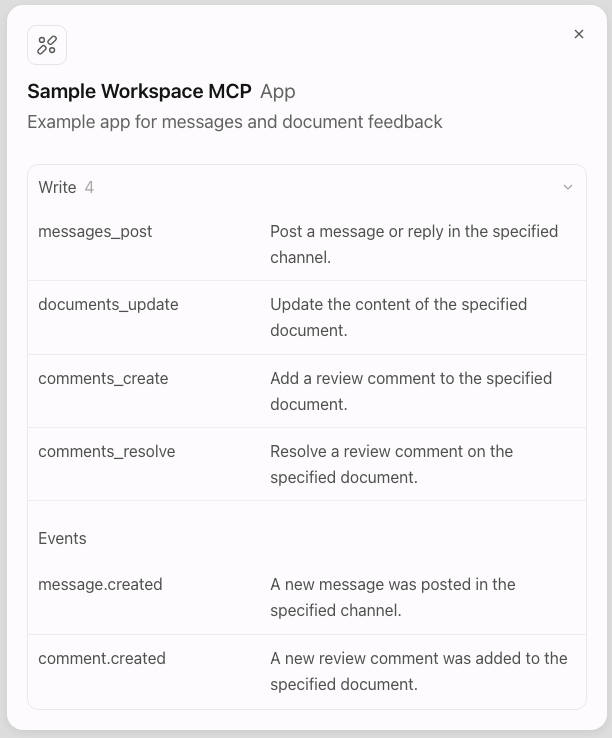
The example plugin in OpenAI's documentation lists new messages and comments under Events. Image: OpenAI developer documentation.
That could cut the delay between someone leaving feedback and someone starting to deal with it. The app must first expose the relevant events to ChatGPT.
There are also device and plan differences. The developer documentation says web plugin extensions for Free and Go are coming later, and plugin mentions in the composer are desktop-app only. The detailed rollout matters alongside the recap's broader “all plans” wording. Plugin availability
Shopify already connects to ChatGPT. What can you do with it?
I checked Shopify and Amazon specifically. As of September 30, I have not found official confirmation that either has adopted this new ChatGPT MCP Events integration. Shopify's existing ChatGPT plugin, however, already lets you do useful store work.
Follow Shopify's connection guide, install the plugin from ChatGPT, and sign in to authorize your store. Then try tasks such as:
- “Show my 10 most recent orders, then open this one so I can check its fulfillment and tracking.”
- “Show sales for the past 30 days, broken down by product.” Follow up on one product afterward.
- Provide product information and ask it to create a product, revise its description, add photos and organize it into a collection.
- Check a variant's stock across locations, adjust it to match a physical count, or create a 10% discount code.
These are within the documented capabilities, subject to the access you approve. You can look up orders in the chat, but refunds and cancellations still belong in the Shopify admin. Shopify plugin capabilities
Amazon has a seller MCP too; event-driven monitoring is another step
Amazon's official seller toolkit includes an MCP connector. Its workflows cover sales and inventory analysis, stockout risk, listings that cannot be bought or found, and FBA inbound planning. It uses Seller Central authorization and requires human approval for changes. That toolkit alone does not establish that ChatGPT offers an equivalent one-click install. Amazon's official toolkit
The next step is what interests me: AI starting an investigation when stock runs low or a listing develops a problem. Shopify already has inventory-change notifications, and Amazon has notifications for order changes and listing issues. A plugin or developer still needs to connect those sources to ChatGPT's MCP Events. Shopify event sources, Amazon notification types
Once that connection exists, you could design tasks such as preparing a replenishment recommendation when stock drops below a chosen level, or gathering the affected Amazon listings, available explanations and proposed fixes for your review. Those are possible workflows built around existing event sources, not automations included just by installing a plugin.
Could Dots + Canva take on some of the social content workload?
Dots + Canva is a social-content workflow I want to try next: give a Dot product information and the promotion schedule, ask it to plan a week's posts and write the copy, then use Canva to prepare visuals for me to review.
Canva already exposes AI tools for creating, editing and exporting designs, plus brand templates and resizing, with some features requiring a paid plan. Having a Dot handle the brief and tasks while Canva handles the design sounds useful for a team that needs fresh content but has no dedicated designer. Canva's official tool list
Publishing is the step that still needs testing. Canva's Content Planner can connect social accounts and schedule posts, but the AI tool list I checked does not directly list scheduling or publishing. Whether a Dot can take over that last step needs a hands-on trial. Even getting a week's copy and images ready would take some work off the list. Canva scheduling
I plan to start with one product and a week's content. If you have already tried Dots + Canva, especially scheduling after approval, I would like to compare notes. How did you connect it, and where did you still need to step in?
4. GPT‑6.1 Sol and Codex: the cost and delivery of complex work
GPT‑6.1 Sol improves coding, computer use, complex document understanding and multi-step work. In OpenAI's published evaluations, it approaches Astra on some tasks at one-fifth of Astra's standard input and output token prices. That comparison does not translate directly into an 80% reduction in a store's operating costs. Model announcement
For an operator, the immediate detail is where to find it: GPT‑6.1 Sol is available in ChatGPT Work, Codex and the API, but not ordinary Chat yet. Its absence from your regular chat model picker is not necessarily an account problem.
If your team is building its own workflow, the standard API prices are:
| Per 1 million tokens | Price |
|---|---|
| Input | $2 |
| Cached input | $0.10 |
| Output | $10 |
These are model usage prices, not a ChatGPT subscription or a quote for a complete task. Tool calls, execution environments and review can add to the cost. Pricing and availability
Codex's cloud changes are relevant to the technical side of running a store. With a repository, tools and permissions set up, you can assign a fix or investigation and let the cloud task continue while your computer sleeps, then review the changes and test results. Codex Cloud
For example, a store with a developer responsible for its website could use it to prepare a product-page display fix. The operator explains how to reproduce the problem and what the correct result should be. The developer reviews the change and tests before deciding to release it. Updated code review and security scanning can help, but the team still needs to accept the result.
5. Sign in with ChatGPT: use your allowance in some third-party tools
Sign in with ChatGPT could affect the software bill through shared usage allowances. Plus and Pro users can authorize participating third-party apps to use their ChatGPT plan allowance without providing a separate OpenAI API key for that connection. Official usage guide
Before subscribing to a supported tool, check whether eligible AI requests can draw on your existing ChatGPT allowance, then compare the total cost.
- Being able to sign in with ChatGPT does not necessarily mean the app supports shared allowance.
- Usage comes out of your existing Work or Codex allowance. A weekly app limit caps its consumption; it does not add a fresh allowance.
- The third-party product can still charge for its subscription, infrastructure or premium features.
Look at the app's own fees and its ChatGPT consumption together. An app that uses a large share of the allowance may also leave less for your other work. Usage and billing details
Pro 500 arrives, and Pro 200 allowances are changing
The new Pro 500 plan costs $500 a month and includes Astra Ultrafast. Pro 100 and Pro 200 do not include it, and buying extra credits alone does not unlock it at launch. The advertised speed increase is about token generation, not an equivalent reduction in the time every task takes. Pro plans, Ultrafast announcement
My first reaction to the $500 plan was that the $200 allowance probably would not last very long anymore. When I went to sleep, ChatGPT used to get a break too. Now a Dot could keep working through the night. The boss gets some rest; the usage meter does not. OpenAI has already prepared my next bill.
Then I read about the $200 plan's allowance change, and my face fell. Of course. Eligible existing subscribers who keep their subscription active can retain their previous allowance until October 29, 2026. After that: a lower allowance, still $200 a month. More work for AI, less room in the plan. Suddenly the $500 tier's timing makes sense. Pro 200 transition rules
After OpenAI DevDay 2026, I want less time at my desk
After this DevDay, what I most want to hand over is some of the small, unavoidable work: sorting email, moving reports around, switching dashboards to check an order, starting yet another social graphic from a blank canvas.
That matters when the team is small. The owner is often also customer support, operations and half a designer. By the end of the day, there is surprisingly little time left for choosing products, understanding customers or thinking about the business. If AI can do the preparation well, there is more room for the decisions that need a person.
I will start with email and reports: see whether I can work through the backlog over breakfast, then put new reports in Space so colleagues and Codex can pick up the next step. Shopify's existing order lookup and sales analysis are worth trying too. How much of a week's social content Dots + Canva can handle, and whether store events can kick off useful work, are questions for the next round of testing.
After a while, the results should be easy to recognize. Did I spend less of the morning in email? Did I move the same report between fewer apps? Did preparing a post keep me up less often? If all the saved time goes into fixing the output, there is more work to do.
Whether that is worth $500 a month can wait until it reliably takes some of these jobs off my hands. My hope is simple: if the bill goes up, the time I spend glued to the screen should go down.
Related tools for support, automation and content
These guides from the EcomAgentTools directory cover dedicated tools for customer support, cross-app automation and content production. The support tools are especially relevant if you want a shared inbox and a defined handoff process.
- Gorgias: ecommerce helpdesk and AI Agent: bring customer conversations and order context into the support team's inbox.
- Zendesk AI: AI-assisted customer support: compare ticket handling, knowledge-based answers and handoffs to the team.
- Tidio: live chat and Lyro AI support: explore automated answers and how conversations move to a person.
- Fin: AI customer service agent: look at answering from support content and escalating questions that need a human.
- Re:amaze: shared customer support inbox: compare a dedicated inbox for email, chat and other customer conversations.
- Make AI Agents: connect apps into workflows: explore how to combine AI decisions with actions in connected tools.
- Zapier Agents: assistants across business apps: compare another approach to assistants that use business data and app actions.
- Canva Magic Studio: AI content and design tools: explore the design side of the social-content workflow discussed above.
Comments
Share experience or ask a question. Comments are plain text; any external link is automatically marked nofollow.
No comments yet.