Customer Service & Retention AI

Intercom: helpdesk and Fin AI support

Intercom helps ecommerce teams resolve common shopping and support questions with an AI agent while handing sensitive or unclear cases to people. Intercom documents Fin for Ecommerce as an ecommerce-specific AI-agent offering. Resolution-based AI costs must be assessed, and connected commerce data, escalation rules, and response permissions must be configured before customer-facing automation goes live.

Views
0
Uses
0
Favorites
0
Editorial Score
72/100
Supported Platforms
Shopify · Custom API
Freshness
Updated Oct 12, 2026
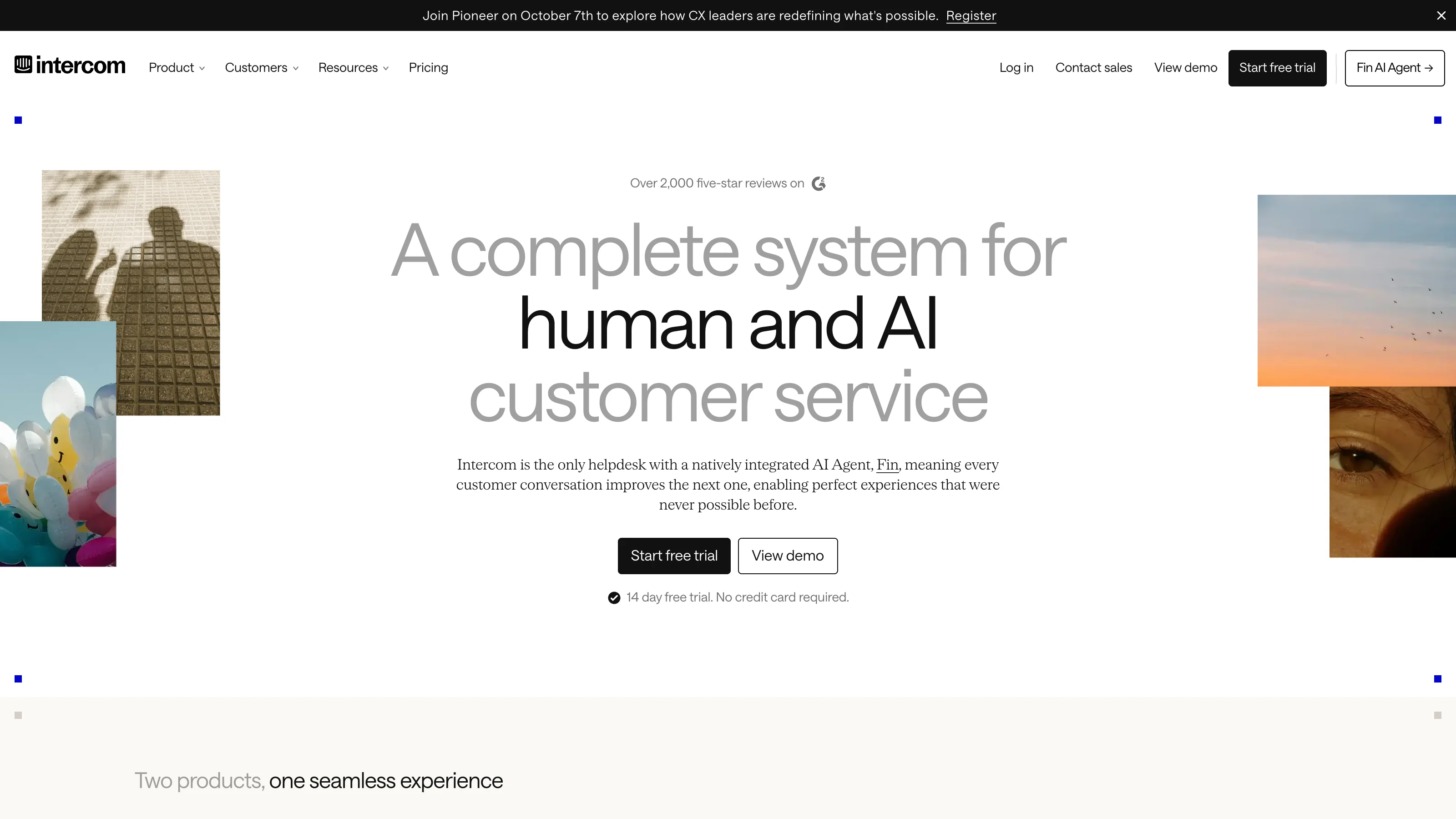
Intercom official product page or product image
Official product-page image source

Verdict: Best for CX leader and Support operations manager with a recurring ecommerce workflow and the required inputs: Customer conversations, Store policies, Product information. Not ready for teams without a defined process, data baseline, and owner. Installation alone will not solve the workflow. Resolution-based AI costs, connected commerce data, escalation rules, and response permissions must be configured before customer-facing automation goes live.

Intercom features and workflows

Intercom helps ecommerce teams resolve common shopping and support questions with an AI agent while handing sensitive or unclear cases to people. Intercom documents Fin for Ecommerce as an ecommerce-specific AI-agent offering. Resolution-based AI costs must be assessed, and connected commerce data, escalation rules, and response permissions must be configured before customer-facing automation goes live.

  • Fin AI Agent for ecommerce support and shopping use cases
  • AI-first customer-service plans with human support workflows
  • Configured answers based on business knowledge and connected context
  • Human escalation for cases that should not be automated

Best for

  • Best for CX leader and Support operations manager with a recurring ecommerce workflow and the required inputs: Customer conversations, Store policies, Product information.
  • Teams that can keep Customer conversations, Store policies, and Product information current and use them in a maintained workflow for AI resolutions and Human handoffs.
  • A named ecommerce operator who can review exceptions before the team expands.

Poor fit

  • Not ready for teams without a defined process, data baseline, and owner. Installation alone will not solve the workflow.
  • Resolution-based AI costs, connected commerce data, escalation rules, and response permissions must be configured before customer-facing automation goes live.

Questions to answer before buying

Data and operating inputs

Can the team keep Customer conversations, Store policies, and Product information accurate and use them only for the documented workflow?

Public answer: Official materials list Customer conversations, Store policies, and Product information as the inputs and AI resolutions and Human handoffs as the work it supports. That explains the product's scope; it does not show whether your own account data is complete or accurate. Before setup, confirm that the required store data can stay current and that key definitions match.

Public sources: Intercom: Official product page · Intercom: Official documentation

Pilot and rollout

Which small, reversible workflow can test AI resolutions and Human handoffs before the team expands it?

Public answer: Start with one small use case that can be paused or rolled back, and record the current baseline. Start with a narrow, documented set of customer intents or a single review/feedback workflow. Use approved store policies and a clear human escalation owner. Audit customer-visible messages and exceptions before expanding volume. Compare “verified resolution rate, escalation quality, and cost per Fin outcome” with the current workflow or a control. Wait for a complete business cycle before expanding.

Public sources: Intercom: Official product page · Intercom: Official documentation

Owner and exception path

Who owns configuration, exception review, and the human stop path when the workflow is wrong or incomplete?

Public answer: Public guidance is aimed at CX leader and Support operations manager. Before launch, name the people who configure the workflow, review exceptions, and can stop it. Also check: Resolution-based AI costs, connected commerce data, escalation rules, and response permissions must be configured before customer-facing automation goes live. Public documentation cannot assign these internal owners for you.

Public sources: Intercom: Official product page · Intercom: Official documentation

Price and contract scope

What will the first month, actual usage, add-ons, implementation, and contract terms cost—not just the headline plan?

Public answer: Intercom’s captured pricing lists Fin outcomes from $0.99, plus seat-based service plans and a free trial. Budget from successful outcome volume and agent seats, and inspect what the platform counts as an outcome. The checked public plans include Fin AI Agent: From $0.99/outcome. The listed amounts come from the vendor and may exclude tax, implementation, add-ons, usage, or contract commitments. Check the official page again before purchase.

Public sources: Intercom: Official pricing

Measurement before expansion

Which baseline, exception case, and decision rule will decide whether the pilot expands or stops?

Public answer: Record the current baseline for verified resolution rate, escalation quality, and cost per Fin outcome. Run one normal case and one exception case alongside the current workflow. Use the same rule to decide whether to expand or stop.

Public sources: Intercom: Official product page · Intercom: Official documentation

Pros

  • Its Fin agent is an explicit ecommerce product surface, not just a generic chatbot marketed to stores.
  • Its main job is to resolve common shopping and support questions with an AI agent while handing sensitive or unclear cases to people. It is not designed to replace every ecommerce tool.
  • Start with a small test and use verified resolution rate, escalation quality, and cost per Fin outcome to decide whether to expand.

Cons

  • Resolution-based AI costs, connected commerce data, escalation rules, and response permissions must be configured before customer-facing automation goes live.
  • Intercom’s captured pricing lists Fin outcomes from $0.99, plus seat-based service plans and a free trial. Budget from successful outcome volume and agent seats, and inspect what the platform counts as an outcome.
  • A named owner, reliable data sources, and a human fallback are still needed. Installation is only the start.

Intercom pricing and purchase terms

Open the official Intercom calculator ↗

Intercom costs combine the chosen plan’s Full seats, billable Fin outcomes, selected add-ons and channel usage. The tables separate these charges so a team can compare the fixed subscription with the usage that may increase its bill. Prices are in USD and exclude tax.

Intercom plans: monthly and annual prices

All three plans include the shared features below. A Full seat is for a teammate who replies to customers; Lite seats have limited access for internal collaboration and cannot reply to customers or use Copilot. Seat subscriptions start at one Full seat, and all Full seats in a workspace use the same plan.

Included in Essential, Advanced and Expert

  • Access to Fin; billable outcomes cost extra
  • Messenger live chat and in-app chat
  • Shared inbox and ticketing
  • Pre-built reports
  • Public Help Center
  • Simple automations
  • Slack integration
  • Support email, banners and tooltips without channel usage charges
Product or purchase optionScopePublic price and status
Essential

For a small support team using a shared inbox and basic ticketing. No Lite seats.

Monthly billing: $39/Full seat/monthAnnual billing: $29/Full seat/month; $348/seat/year
Advanced

Adds workflow automation, team assignment and custom reporting to the shared tools above.

Included plan entitlements
  • Workflows automation builder
  • Multiple team inboxes and round-robin assignment
  • Private and multilingual Help Center
  • Tickets portal and custom reports
  • Salesforce and Marketo integrations
  • 20 Lite seats for internal collaboration
Monthly billing: $99/Full seat/monthAnnual billing: $85/Full seat/month; $1,020/seat/year
Expert

Adds security, multiple-brand support and workload controls to Advanced.

Included plan entitlements
  • All Advanced features
  • SSO and identity management
  • HIPAA support
  • Service level agreements (SLAs)
  • Multiple brands in Messenger and Help Center
  • Workload management, team office hours and reply-time settings
  • Higher API limit and real-time dashboard
  • 50 Lite seats, replacing the 20 Lite seats on Advanced
Monthly billing: $139/Full seat/monthAnnual billing: $132/Full seat/month; $1,584/seat/year

Fin: what counts as a paid outcome

These rates apply when using Fin with Intercom for chat and email. Access to Fin is included in the plans, but billable outcomes are charged separately. A conversation is charged at most once, even when Fin answers several questions or completes several steps.

Product or purchase optionScopePublic price and status
Fin outcomes

Covers a resolved question, a completed Procedure configured to hand off, a disqualified sales lead, or a routing outcome explicitly marked Self-serve. A resolution includes a customer confirming the answer helped or leaving after an answer without asking for more help.

$0.99/billable outcome
Fin sales qualifications

Charged when Fin matches a prospect to the configured qualification criteria and routes them accordingly. This is a distinct sales outcome; product recommendations in an ecommerce support conversation do not automatically become a qualification.

$9.99/qualification
Fin escalations

A standard escalation that occurs because a customer asks for a person, Fin cannot answer, or workspace escalation rules apply is not a paid outcome. A successfully completed Procedure configured to hand off can still be billable.

No outcome charge for standard escalation

Optional add-ons and their usage charges

These items are purchased in addition to a core plan. Copilot assists human agents; Pro analyzes support conversations and includes Operator; Proactive Support Plus adds advanced outbound features. Their charges use different units.

Product or purchase optionScopePublic price and status
Copilot

An AI assistant for human agents in the inbox. Each agent with a Full seat has 10 Copilot conversations and 10 AI Auto-translation conversations free each month. Paid unlimited usage is assigned per agent and remains subject to fair-use limits. Annual Copilot seats are prepaid for the year and cannot be removed until the next billing period. Extra seats added beyond the prepaid annual seat count cost $35/month.

Monthly: $35/agent/monthAnnual: $29/agent/month
Pro

Adds CX Score, Topics Explorer, Trends, Recommendations, incident detection, Monitors, Custom Scorecards and Operator. Available on the latest pricing model; conversation volume counts both human and Fin support, rather than only successful Fin outcomes.

$99/month, including 1,000 conversationsAdditional conversations: 1,001–5,000 at $0.12 each; 5,001–50,000 at $0.10; 50,001–100,000 at $0.06Above 100,000/month: contact sales
Operator credits

Operator helps analyze support data, debug Fin, write Procedures and maintain content. The standard published inclusion is 2,000 credits/month; some Pro subscriptions have a different allowance. The subscription page confirms the applicable allowance. Credits do not carry over, and paid usage requires raising or removing the default limit.

$0.01/credit above the applicable allowanceRequires an active Pro add-on
Proactive Support Plus

Adds Posts, Product Tours, Surveys, Mobile Push, Mobile Carousels and Series, plus checklists, news, A/B testing, webhooks, versioning and event-based messaging. Includes 500 Messages Sent/month; a display or send can count even if the customer does not interact. Email, SMS and WhatsApp use separate meters.

$99/month, including 500 Messages SentAbove 500: tiered charges from $0.07 per additional message, decreasing with volume

Channel fees beyond the seat subscription

The listed tiers are charged progressively: each portion of usage keeps its own tier rate. A lower rate at a higher tier does not reprice the entire month. Email, SMS, WhatsApp and Phone do not require Proactive Support Plus.

Product or purchase optionScopePublic price and status
Support channels

Live chat, support email, in-app chat, banners and tooltips are included in all core plans. This channel inclusion does not cover Fin outcome charges.

No separate channel usage charge
Email campaigns

Bulk email is charged per recipient, and bounced emails also count. This differs from replying to a customer support email.

First 100/month: $0.045/emailProgressive tiers; official example: 3,000 emails cost $39
SMS

Charged per SMS segment sent or received; a long message can contain several segments. Rates differ by country, with no included segments. Australia SMS requires a contract.

First 500/month: US/Canada $0.06/segment; UK/Australia $0.09/segmentHigher usage is charged in progressive tiers
Bulk WhatsApp

Teammate-initiated bulk outreach is measured as Bulk WhatsApp Sent. Intercom lists inbound WhatsApp conversations as free, including Inbox replies and the documented workflow routes. Fin outcome charges remain separate.

First 500/month: $0.10/messageHigher usage is charged in progressive tiers
Phone

Charges depend on phone numbers, inbound and outbound minutes, destination, and recording or transcription options. Messenger calls also have usage charges. Fin Voice is priced separately through sales.

Use the official calculator based on destination and call typeFin Voice: contact sales

Other purchase routes and trial

Using Fin on another helpdesk, applying for the startup program, and installing the Shopify app are different purchase routes. They do not replace the standard Intercom seat prices above.

Product or purchase optionScopePublic price and status
Fin on an existing helpdesk

Adds Fin to an existing support system without purchasing Intercom helpdesk seats. Minimum commitments apply; the exact commitment and any special-volume terms are confirmed with sales. The existing helpdesk subscription remains a separate cost.

From $0.99/outcome; minimum commitment appliesNo Intercom seat, integration, setup or platform fee for this route
Early Stage program

For approved new startup customers joining on or after June 29, 2026, with fewer than 15 employees and up to $10 million raised. Includes Advanced, 2 Full seats, 2 Copilot seats, 20 Lite seats, Pro and Proactive Support Plus. Year 1 includes 300 Fin outcomes and 15 sales qualifications per month; allowances and discounts change in subsequent years. Extra seats and usage can cost more.

2-seat base package: Year 1 $33/month; Year 2 $233/month; Year 3 $350/monthApplication approval required; not the standard plan price
14-day free trial

New customers can try Intercom without a credit card. Continuing after the trial requires choosing a plan and adding payment details.

14 days; not a permanent free plan
Premier Support

A paid support service with 24/7 access to a specialist team, priority responses and escalation for urgent issues. It is purchased alongside a subscription.

Contact sales for pricing
Premier Support Rapid Response

Another paid support option, with a dedicated Premier Support Lead, emergency escalation paths and scheduled video support. Response times depend on the support option purchased.

Contact sales for pricing

For self-serve monthly or annual subscriptions, seats and add-ons are billed in advance and usage in arrears. Seat changes can be prorated. Applicable taxes and negotiated contract terms can change the final invoice.

The Shopify listing shows the same three seat plans and a Fin outcome price. It also states that Intercom may bill external charges separately from the Shopify invoice; installing the app does not include a full Intercom subscription for $0.99.

Intercom alternatives compared

ProductProduct scopeBest-fit scenarios and implementation responsibilitiesPricing and billing
IntercomCurrent productIntercom is a customer-service platform combining the Fin AI agent, a shared inbox and tools for human support teams.

Best fitConsider Intercom for Fin together with a shared inbox, ticketing and support-team tools. Compare Gorgias for an ecommerce helpdesk with live order context and an AI Agent and Zendesk AI for AI agents and ticket routing inside Zendesk Support or Suite.

ImplementationYour team would configure the Intercom inbox, team routing and Fin knowledge.

GorgiasGorgias is an ecommerce customer-service platform that combines a shared Helpdesk with an AI Agent for routine support and shopping conversations.

Best fitFor support work that depends on live order records and authorized order actions, compare Gorgias. The distinction here is the link between store records and ticket handling; with Intercom, compare how Fin and the human support team work together.

ImplementationWith Gorgias, your team would connect store records, authorize order actions and configure ticket routing.

Official product and workflow ↗

Confirm current billing terms before buying.

Helpdesk subscription scales with monthly ticket volume, not agent seats.

AI Agent is billed for resolved conversations; Voice and SMS add-ons are charged separately.

Official pricing ↗
Zendesk AIZendesk AI adds AI agents and assisted ticket handling to the Zendesk customer-service platform, with standard AI agents tied to a Support or Suite plan.

Best fitBoth products cover AI support and ticket handling. Teams already using Zendesk Support or Suite can compare AI and human handoffs within Zendesk with the inbox and team routing configured in Intercom.

ImplementationWith Zendesk AI, the team would prepare knowledge, configure Zendesk ticketing and define human handoff rules.

Official product and workflow ↗

Confirm current billing terms before buying.

Support Team: $19/agent/month; Suite Team: $55/agent/month. Both require annual payment.

Extra AI-automated resolutions and optional add-ons can add charges.

Official pricing ↗
FinFin is an AI customer-service agent for support teams that need to use company knowledge to resolve recurring questions across channels while keeping a route to human agents.

Best fitFin is the AI agent offered within the Intercom product family. Compare adding Fin to an existing helpdesk with adopting Intercom's inbox and human-support tools as well; these are different purchase scopes.

ImplementationWith Fin, the team would connect knowledge sources, test procedures and set human handoff rules.

Official product and workflow ↗

Confirm current billing terms before buying.

Fin with your current helpdesk: US$0.99 per resolution, Procedure handoff, or disqualification; US$9.99 per qualified lead

Fin with your current helpdesk: Minimum 50 outcomes/month

For adding Fin to an existing helpdesk such as Salesforce or HubSpot.

Fin with Intercom helpdesk: Outcome charges plus Intercom seats from US$29/seat/month

The current Fin page lists the entry-level Intercom seat price from $29/month. Final seat cost depends on the Intercom plan and billing cycle; outcome and channel charges are separate.

Official pricing ↗
FreshdeskFreshdesk is Freshworks' cloud customer-support and ticketing software for ecommerce customer-support teams to assign, track, and resolve customer inquiries and after-sales requests.

Best fitFor support organized around assigning, tracking and resolving tickets, compare Freshdesk's ticket rules and knowledge base. The choice is between this ticket-management workflow and Intercom's Fin-plus-human-support workflow.

ImplementationWith Freshdesk, your team would set up support channels, ticket rules and the knowledge base.

Official product and workflow ↗

Confirm current billing terms before buying.

Growth: $19/agent/month; Pro: $55/agent/month; Enterprise: $89/agent/month, all billed annually.

Extra AI Agent capacity costs $49 per 100 sessions; optional add-ons have separate charges and eligibility requirements.

Official pricing ↗
Help ScoutHelp Scout is a customer-support platform for small and growing teams that need to manage email, chat, and connected customer context without fragmenting conversations across separate inboxes.

Best fitFor email and chat managed through shared inboxes and Beacon, compare Help Scout. Look at how inboxes, Docs and Beacon support answers and handoffs, alongside Intercom's use of Fin and ticketing tools.

ImplementationWith Help Scout, your team would organize inboxes, maintain Docs and configure Beacon answers and handoffs.

Official product and workflow ↗

Confirm current billing terms before buying.

Standard: $25/user/month paid annually; Plus: $45/user/month paid annually.

AI Answers add-on: $0.75/resolution, billed monthly; prepaid discounts are available.

Official pricing ↗

Selection advice

Evaluating standalone Fin while retaining the helpdesk

If the current helpdesk still works well, evaluate standalone Fin without purchasing Intercom seats solely to use it. Fin connects to supported helpdesks, leaving tickets and human support in the existing system. If the inbox, help center, and support workflows are also changing, compare the full Intercom platform with Freshdesk Omni.

Comparing options when purchasing the full workspace

The full Intercom platform is the relevant purchase when Messenger, a shared inbox, ticketing, and a Help Center are needed. Compare the Intercom platform with Gorgias or Freshdesk Omni using the same channels and support tasks, checking seats, tickets, AI usage, and charges for channels such as Phone, SMS, and WhatsApp. A base subscription does not mean that all usage charges are included.

Budgeting for Fin based on outcome definitions

A Fin outcome is not simply an AI reply or a fully automated resolution. Completing a configured Procedure before handing off to a person can also be billable, and outcome categories can have different prices. Before choosing a plan, confirm the relevant outcome types, allowances, and minimum commitments, then estimate costs using actual support volumes.

Intercom FAQs

Intercom FAQs address “Can Fin be used without moving the whole team to Intercom?” and “Does every Fin handoff to a human avoid an outcome charge?”

Can Fin be used without moving the whole team to Intercom?

Yes. Intercom offers Fin for use with an existing helpdesk, with its own minimum commitment and outcome-based charges. This differs from buying Intercom’s complete helpdesk with agent seats, so the required deployment should be specified when comparing costs.

Does every Fin handoff to a human avoid an outcome charge?

No. Fin’s outcome definition includes completed Procedures, which can include a handoff, as well as qualifying resolutions. A conversation is charged at most once under that definition, so handoff alone is not enough to determine whether it is billable.

How does Intercom Copilot differ from Fin?

Fin handles customer-facing conversations, while Copilot assists human agents. Their charging models are separate, so a Copilot allowance or subscription should not be counted as prepaid Fin outcomes.

Can an Intercom Lite seat reply directly to customers?

No. Lite seats are for internal collaboration rather than direct customer conversations. Teams should distinguish experts who add internal input from agents who need full seats to communicate with customers.

Is Intercom’s seat price the complete monthly support bill?

Not necessarily. Fin outcomes and usage-based channels can add charges beyond the agent-seat subscription. A budget should identify the required seats, AI outcomes, and paid channel usage separately rather than multiply the seat price by headcount alone.

Intercom integrations and connection requirements

ShopifyShopify → Intercom

Show Shopify customer and order details beside Intercom conversations so agents can answer order questions with store context. Install the Shopify app and authorize the store. This connection is available on Intercom Essential, Advanced and Expert plans; this row covers viewing data rather than changing orders.

Official connection guide

Sources

The sources for Intercom include www.intercom.com; the linked documents are references for checking product, purchase or review information, with applicability still to be verified.

User reviews

The Intercom review section groups source links and available feedback from Shopify App Store; each source’s product-profile scope is stated separately.

17 reviewsChecked Aug 31, 2026

Shopify App Store listing: Fin AI Agent & Intercom. These reviews cover this exact app listing, not every product surface from the vendor.

Little FormulaGermany

I cannot describe how bad this app is and the backend of their service is like find the one piece of spaghetti within the mountain of spaghetti.. very very disappointing... they just launched an update. Now nothing is working on shopify. No widget showing, no chat available....

…
NurosymUnited Kingdom

Multi-brand store connections have improved our ability to serve customers and involve our AI agent in multiple other workflows and use cases. Consistently impressed at Intercoms speed to improvement/evolution, and willingness to synthesise our feedback into amazing actions!

easyplantUnited States

The multistore beta is working great and will be a huge asset as we continue expanding globally. That said, there are a couple of areas that could be improved: It would be helpful to have clearer visual distinctions—such as more detailed labels or color-coding—between stores. When creating new orders through Intercom, there’s currently no way to enter or select a customer address, which can lead to fulfillment delays. Looking forward to future updates—this has the potential to be a game-changer for our operations.

More reviews on Shopify App Store

Leave a review

Rate every dimension, then share your real experience.

Task effectiveness
Ease of use
Reliability
Workflow and integration fit
Value for money